A field guide to Core Graphics, Core Text, Core Image, Core Animation, and SwiftUI, illustrated by an engine that draws every picture in this newsletter twice: once with my clean-room SlayerMotion renderer, once with Apple’s.
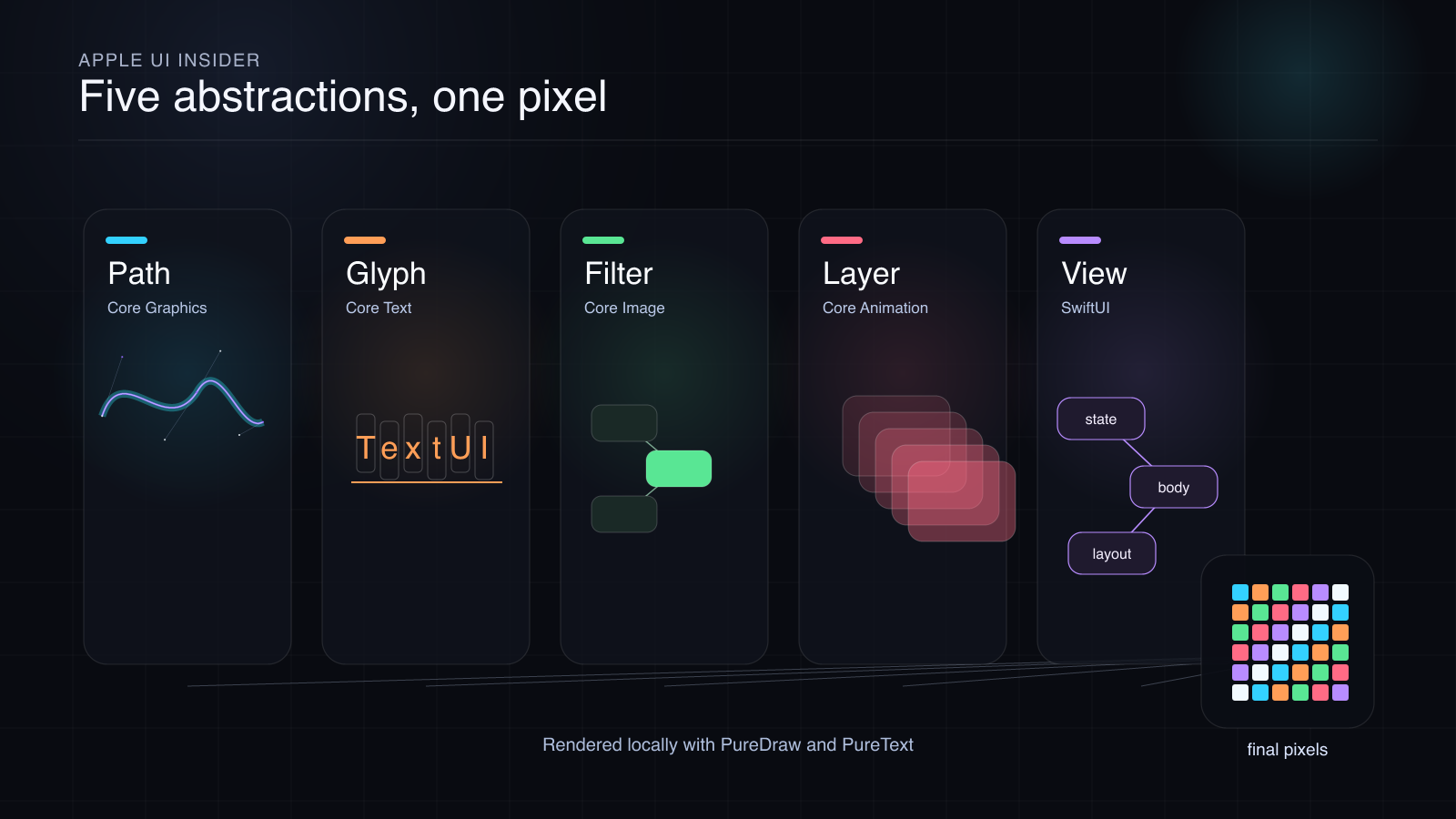
SlayerMotion render: the SLM scene compiled through PureComposition and rasterized by PureDraw.
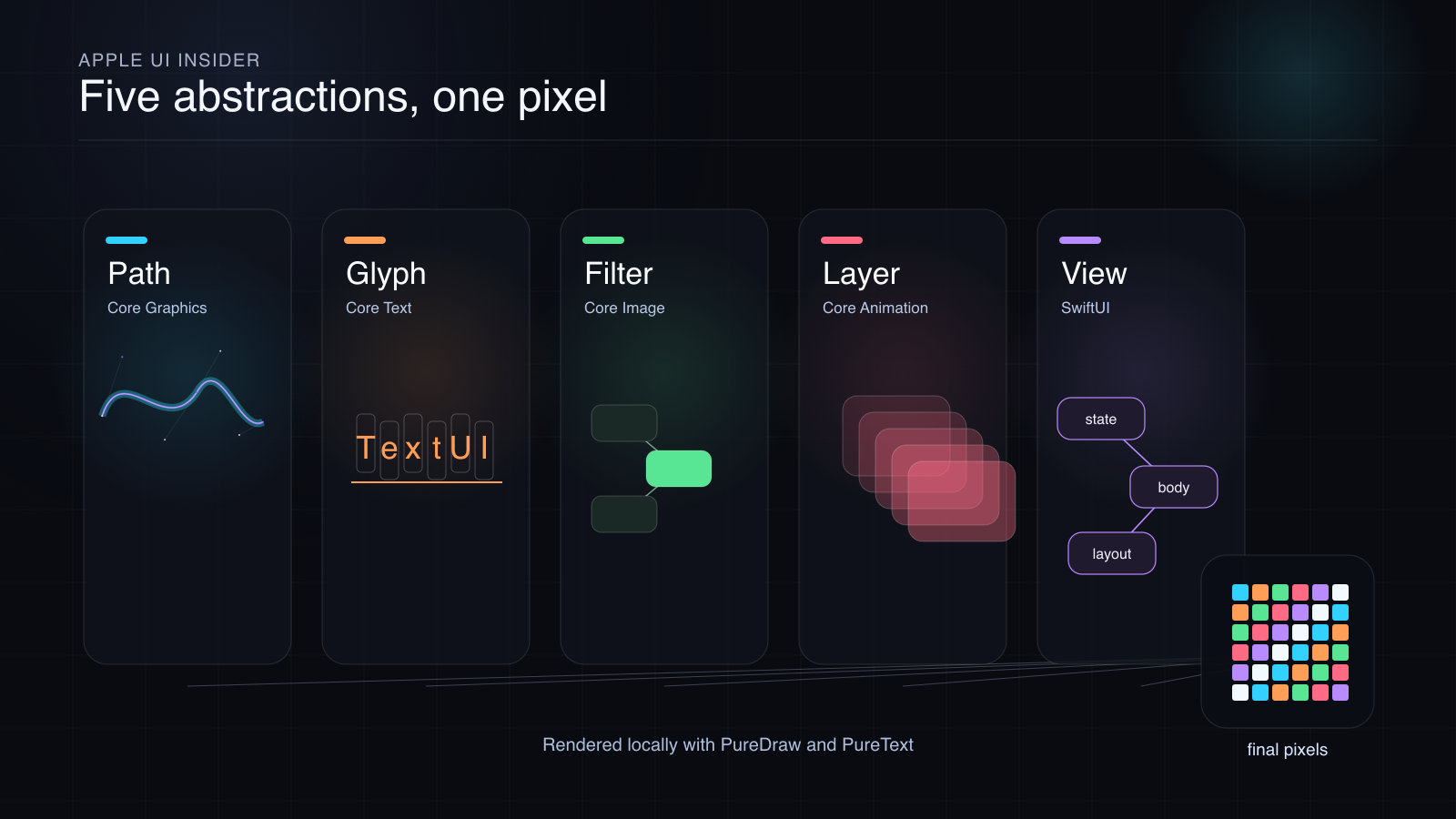
Apple render: the same compiled scene replayed through a real CGContext. Measured difference: 49.8% of the 1,440,000 pixels differ, no color channel by more than 35 out of 255, mean difference 0.09% of full scale.
Welcome.
This is the first issue, so it has two jobs: give you the map of Apple’s UI rendering stack, and show you the method this newsletter will use to make claims about it.
The map is a working map of the territory between your Swift code and the pixels on screen: drawing, text, image processing, compositing, and reactive UI. Not the whole of Apple app development. That would also need UIKit, AppKit, TextKit, Metal, accessibility, input, windowing, and years of historical sediment. This is narrower and more useful.
The method is the part you just saw, twice, at the top of this page.
Every Picture Here Is Drawn Twice
None of the illustrations in this issue is a screenshot, a diagram-tool export, or a generated bitmap. Every image and every animation appears in two versions: one made with SlayerMotion, one made with an Apple framework, from the same source.
Each one starts as a vector scene written in SLM, the scene language of my SlayerMotion engines. The scene compiles through the PureComposition compiler into a program of plain drawing commands: paths, fills, strokes, gradients, shadows, glyph outlines. Then that same program is rendered twice:
The SlayerMotion render. My clean-room software rasterizer, PureDraw, turns the commands into pixels. Where text appears, PureText shaped the glyphs. Where animation appears, every frame is its own compiled SLM scene.
The Apple render. Apple’s Core Graphics replays the identical command buffer into a real
CGContext, and Apple’s rasterizer produces the pixels.
Same source. Same geometry. Two independent rasterizers. Then I diff them, pixel by pixel, and publish the numbers.
Look at the hero pair again. Half the pixels differ, and the two images are visually identical. That one line is the whole story of rasterization. Both renderers agree completely about geometry: where every path lands, where every glyph sits, what color every shape is. They disagree only about coverage at anti-aliased edges, where each engine rounds partial pixel coverage slightly differently. That disagreement is real, measurable, and tiny.
That is what an honest comparison looks like. Not “pixel perfect,” which would be a lie at the edges. Not “close enough,” which hides the interesting part. The actual number, with its conditions.
How Do You Know The Twins Share A Source?
Fair question. Two similar images prove nothing by themselves.
So the bundle for this issue includes a mutation proof. Take the hero scene’s SLM source, change one fill to pure magenta, and re-run the Apple pipeline. The original Apple render contains zero magenta pixels. The mutated one contains 3,600 of them, in exactly the mutated region. Source hashes and image hashes for both runs are recorded alongside the images.
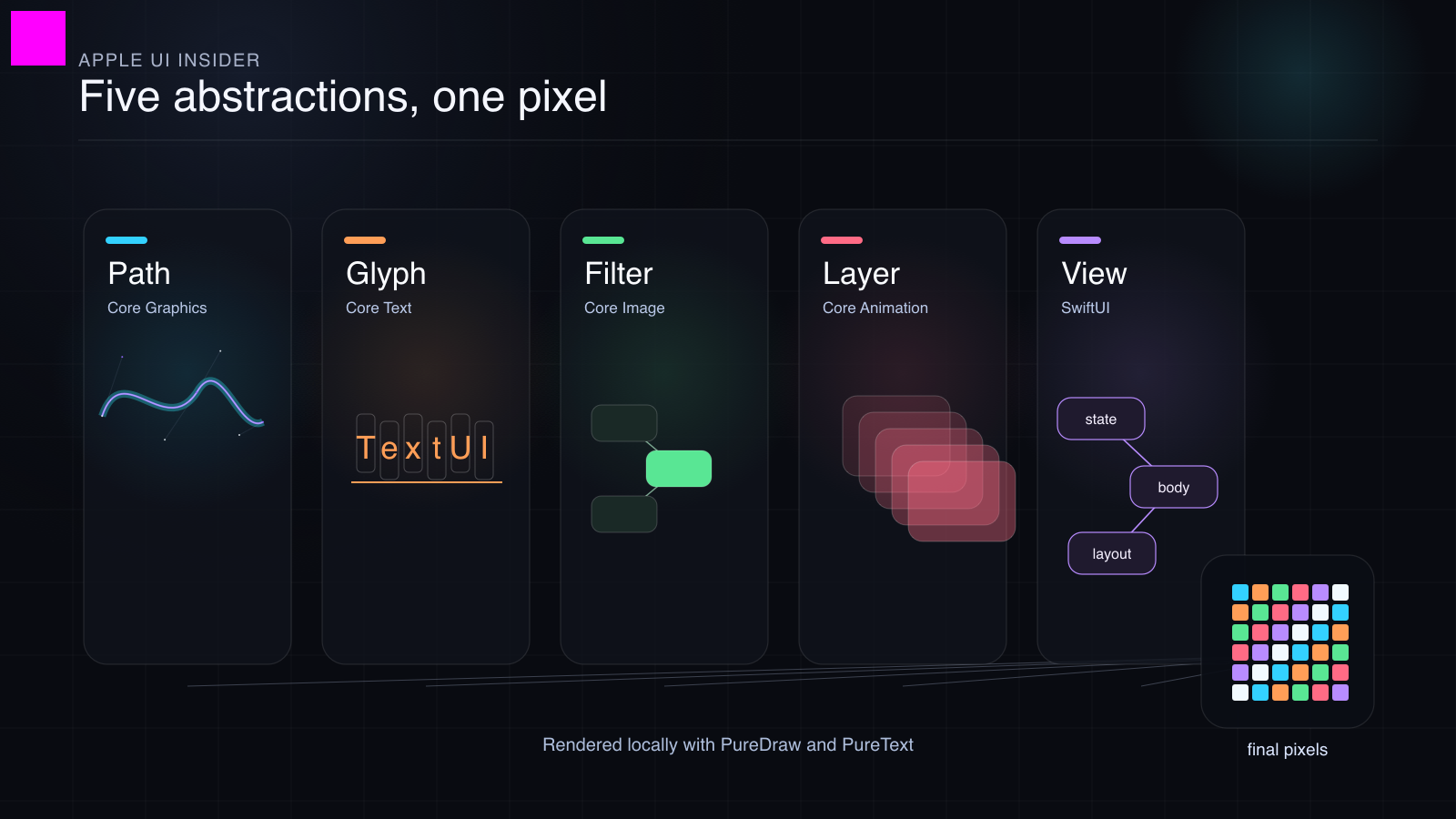
Change the source, and the Apple render changes where the source changed. The pixels really do come from the scene file, through Apple’s rasterizer.
Every illustration in this issue ships as a bundle: the SLM scene, the emitted Swift, the SlayerMotion render, and the Apple render, so the comparison can be reproduced, not taken on faith.
The promise of this newsletter is the same discipline applied to bigger claims: one tested UI-stack claim per issue, with code, images, measurements, and named boundaries.
Why I Can Write This
I built clean-room Swift engines that model selected, testable behaviors of this stack. Not to replace Apple’s frameworks in your app. You should use Apple’s frameworks in your app; they are integrated with the operating system in ways no outside library can be. I built them to understand them.
There is a kind of knowledge you only get when you try to make the same output appear twice. Reading documentation gives you names. Reading samples gives you idioms. Reproducing behavior gives you constraints. When the result is wrong, the picture tells you immediately: the curve is off, the alpha is wrong, a glyph lands one advance too far to the right, the animation finishes at the wrong time.
The engines line up with the five tiers this series will study:
PureDraw models the Core Graphics role: paths, transforms, clipping, blending, rasterization.
PureText models the Core Text role: segmentation, shaping, line breaking, glyph layout.
PureImage models the Core Image role: deferred image graphs, filters, regions of interest.
PureLayer models the Core Animation role: retained layer trees, timing, transactions, compositing.
PureView models the SwiftUI role: identity, dependency tracking, layout negotiation, transactions.
SLM and PureComposition sit above them: one scene description that lowers into those engines, which is what made the twin renders in this issue possible.
A Map of Responsibilities
The stack is not a ladder where each framework calls the next in a neat line. It is a map of responsibilities.
Take a normal Apple interface: a card, an icon, a title, a progress bar, a blur, a button. It looks like one object because the compositor makes it look like one object. It is not one object. It is a set of decisions:
What should exist? SwiftUI evaluates view values, tracks identity, reads state, and decides what changed.
Where should it go? Layout proposes sizes, accepts or rejects them, and positions children until the tree has concrete geometry.
What are the letters? Core Text turns strings into glyphs, runs, advances, baselines, and line fragments.
What are the shapes and pixels? Core Graphics fills paths, strokes outlines, clips, blends, and applies the current transform.
What are the image recipes? Core Image builds lazy filter graphs and renders finite regions only when someone asks for pixels.
What is retained over time? Core Animation keeps a layer tree, samples animations, separates model values from presentation values, and composites the final frame.
The boundaries are real. Core Animation does not shape text. Core Text does not composite your window. Core Graphics does not know SwiftUI identity. Many confusing bugs come from expecting one tier to do another tier’s work.
Now the tour, one tier at a time. Each illustration is a pair: SlayerMotion first, Apple second, same SLM source.
Core Graphics: The Drawing Machine
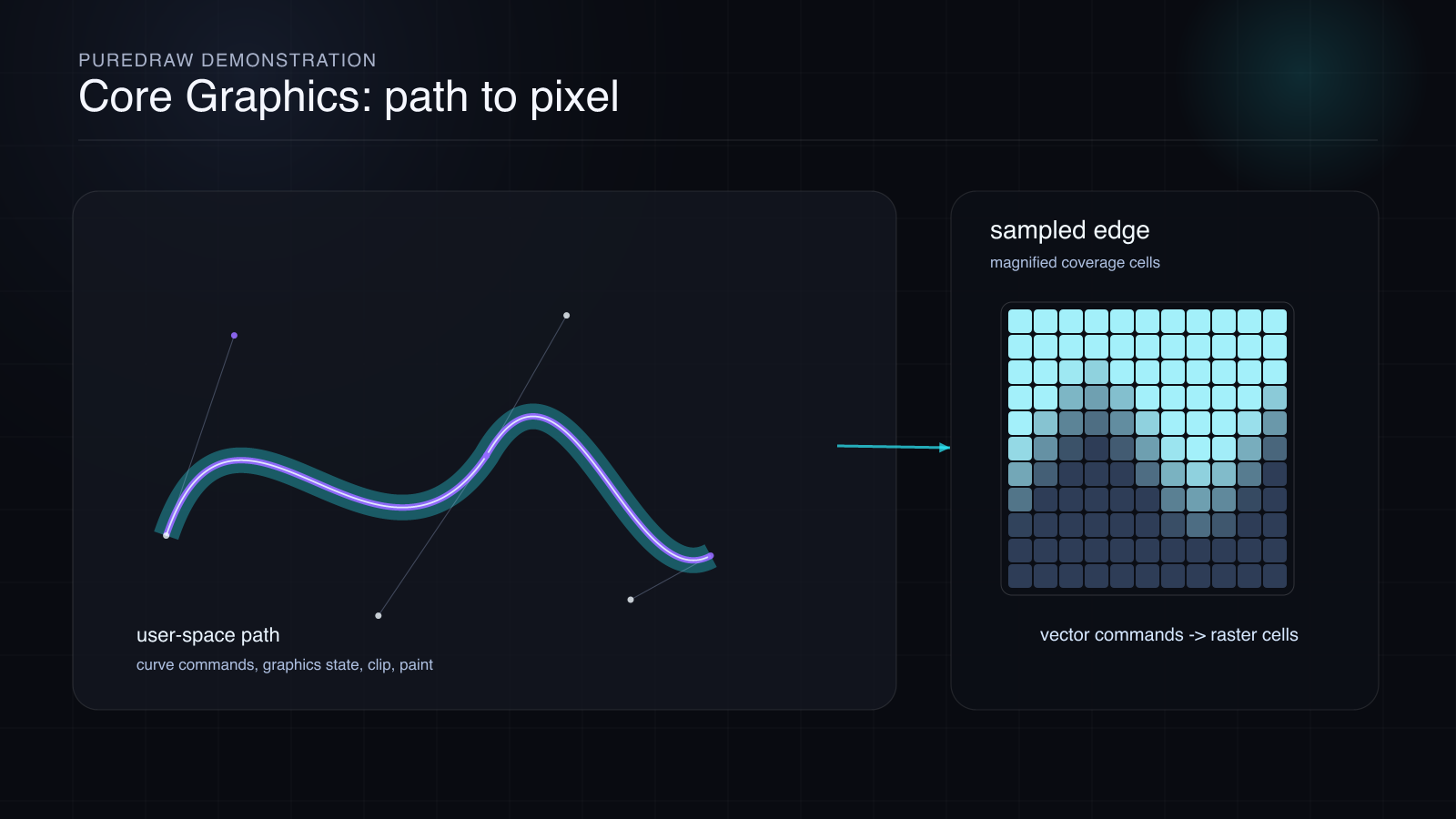
SlayerMotion render: paths, control points, transforms, and coverage cells, rasterized by PureDraw.
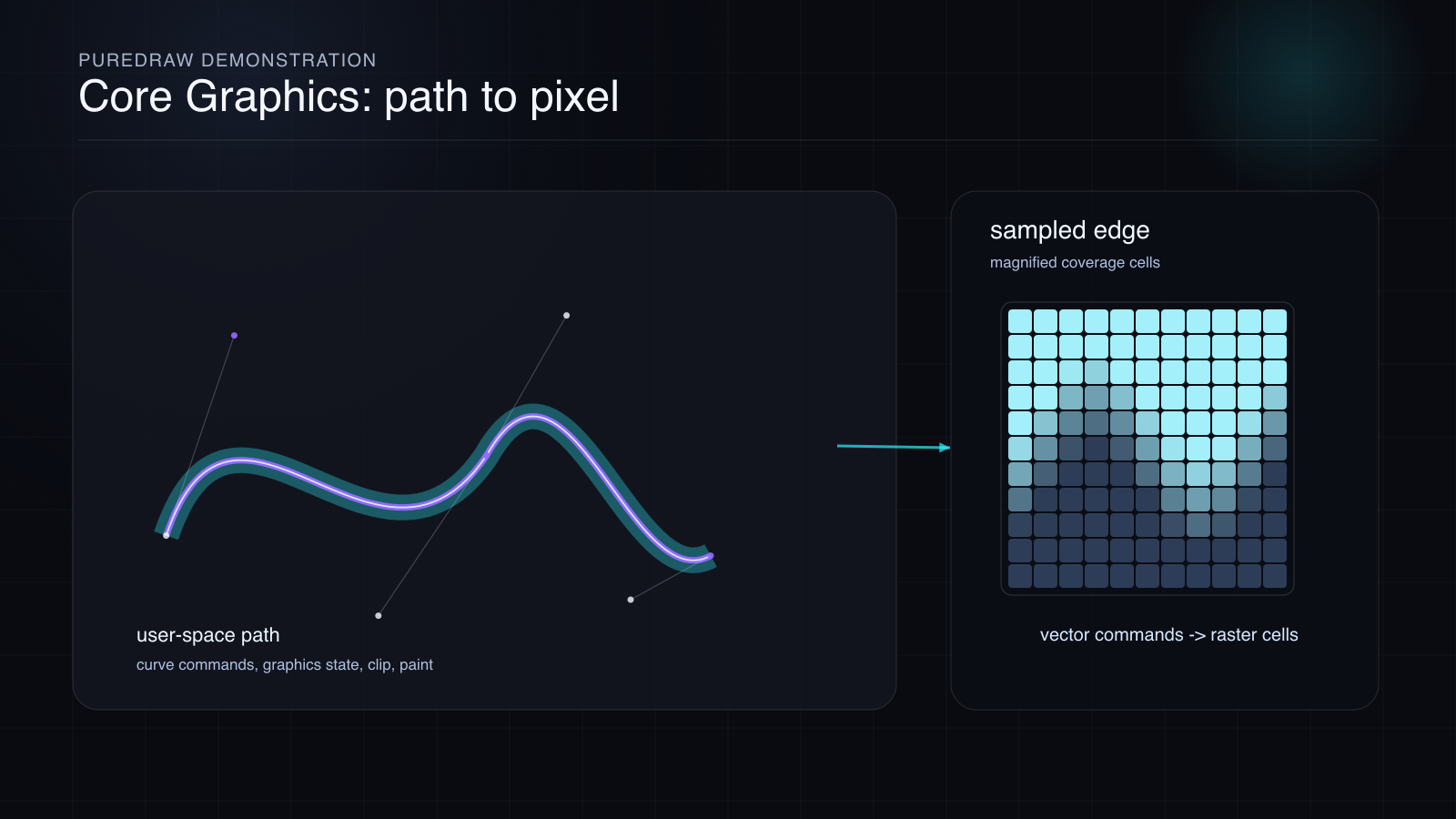
Apple render, same scene through CGContext. Measured difference: 54.2% of pixels differ, max channel delta 34 of 255, mean 0.08% of full scale.
Core Graphics is the path and pixel machine: move here, line there, curve through this point, fill this shape, clip to that region, blend with what is already there.
The stubborn bug: a drawing command looks correct, but the shape lands in the wrong place.
The mechanism: a CGContext carries state. Transform, clip, color, alpha, blend mode, line width, dash pattern, shadow, text state, interpolation quality. Every drawing command is interpreted through that state.
The proof: use the smallest path that makes transform order visible. Scale then translate is not the same as translate then scale. Clip then draw is not the same as draw then clip. Two overlapping shapes at half opacity drawn directly give a different result than the same shapes drawn into a transparency layer with opacity applied once to the group.
Those are not trivia questions. They are the reason a UI can be one pixel off while every line of code looks reasonable.
To show the drawing tier working hard, here is a stress scene, same twin pipeline:
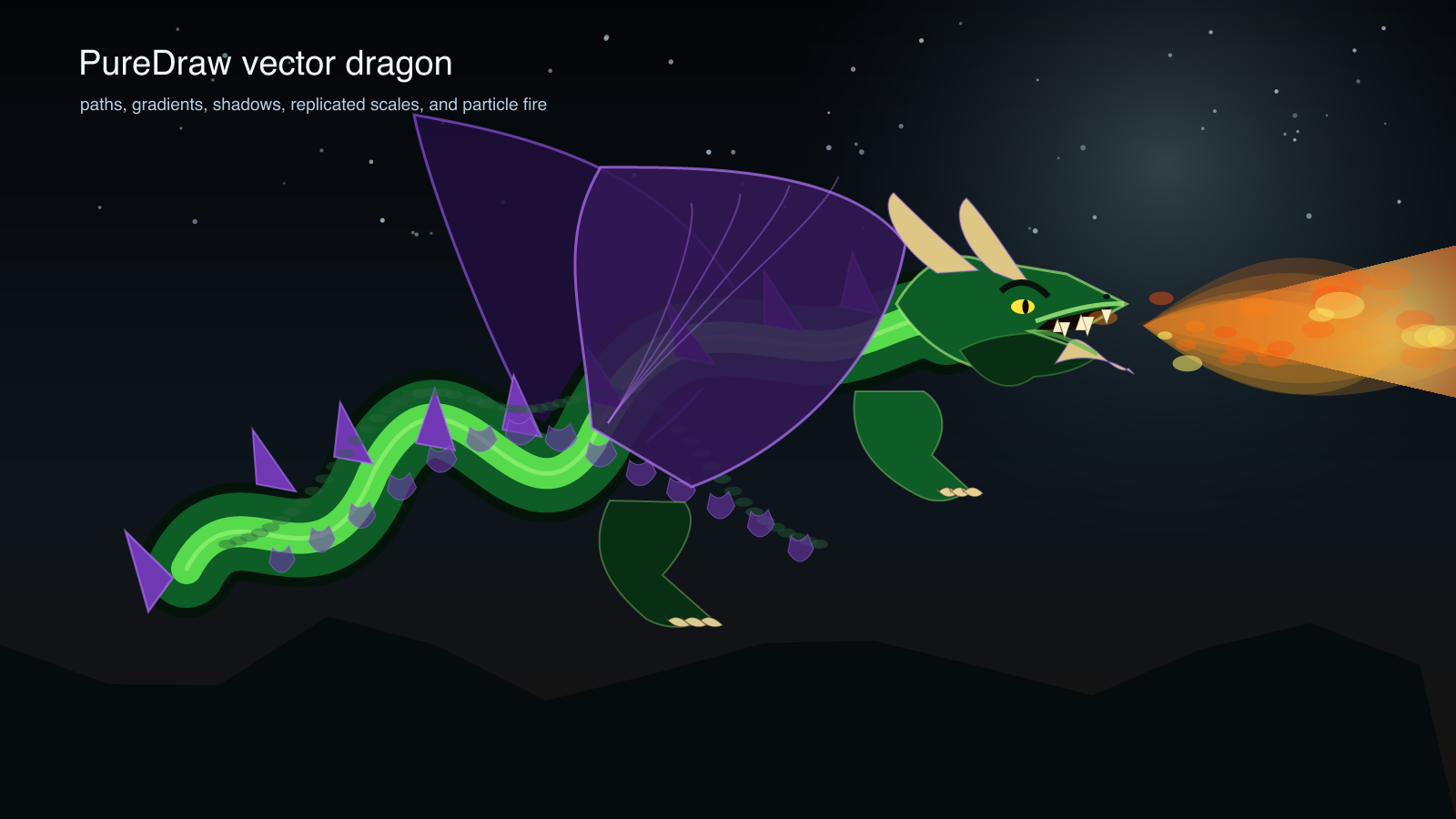
SlayerMotion render: Bezier body, gradients, shadows, replicated scales, and particle fire.
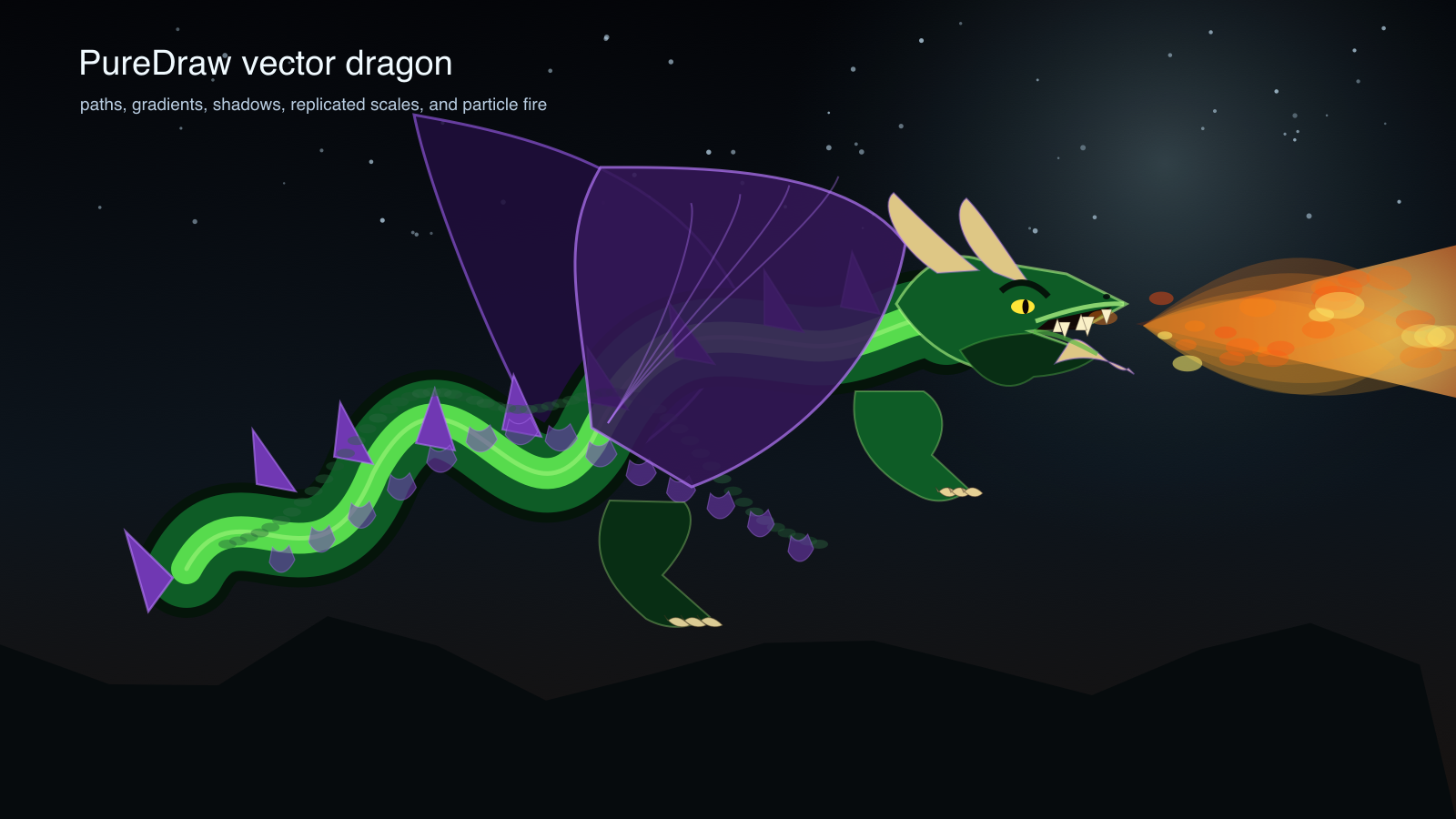
Apple render of the same dragon. Measured difference: 47.2% of pixels differ, mean 0.09% of full scale; only 37 pixels out of 1.44 million differ by more than a quarter of full scale, all at hard particle edges.
And because motion is where this series is headed, the dragon also flies. Each of the animation’s eight frames is exported as its own SLM scene, compiled, and drawn twice through exactly the pipeline every static image in this issue uses:
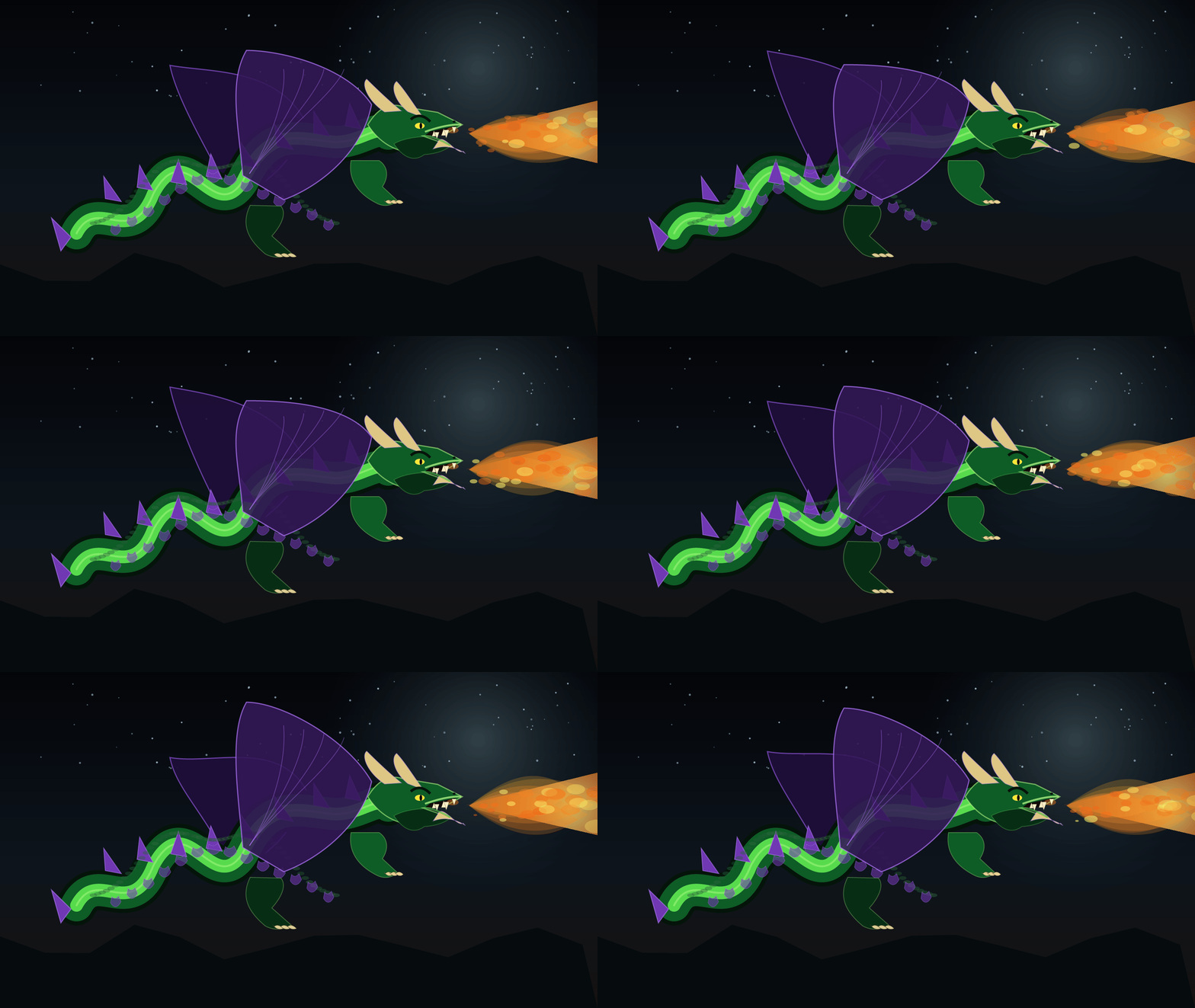
SlayerMotion animation: eight compiled SLM frames rasterized by PureDraw, 1600 by 900 at 12 frames per second. Shown as GIF so it plays in your mail client; the lossless APNG twins are in the issue bundle.
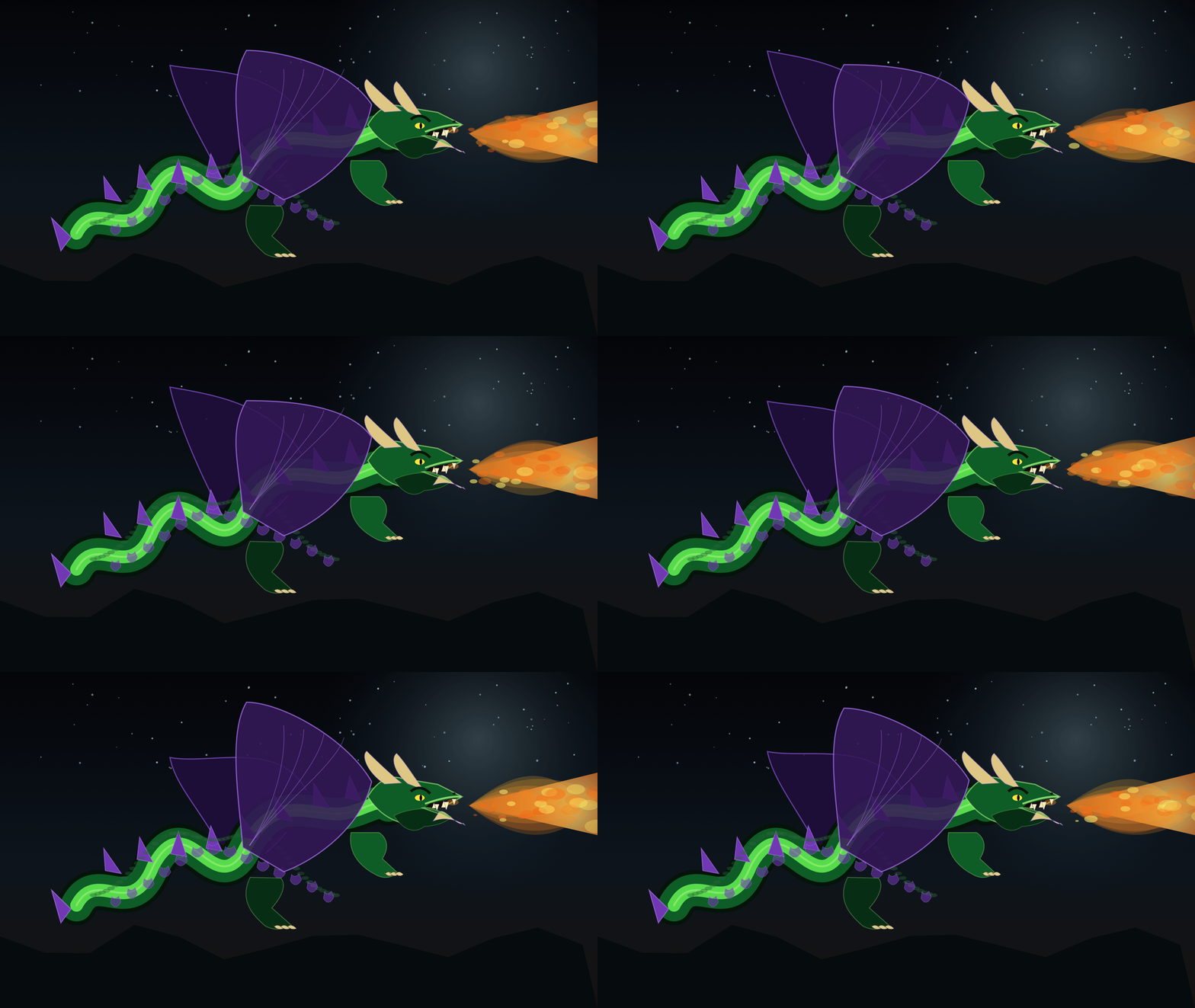
Apple animation: the same eight compiled frames replayed through CGContext. Worst frame against the SlayerMotion twin: 47.1% of pixels differ, max channel delta 87 of 255, mean 0.08% of full scale, the same anti-aliasing story as every static pair.
Issue 2 starts here: the current transformation matrix.
Core Text: The String Is Not The Text
A convenient simplification that fails quickly: text is a string. The string is the input. It is not what gets drawn.
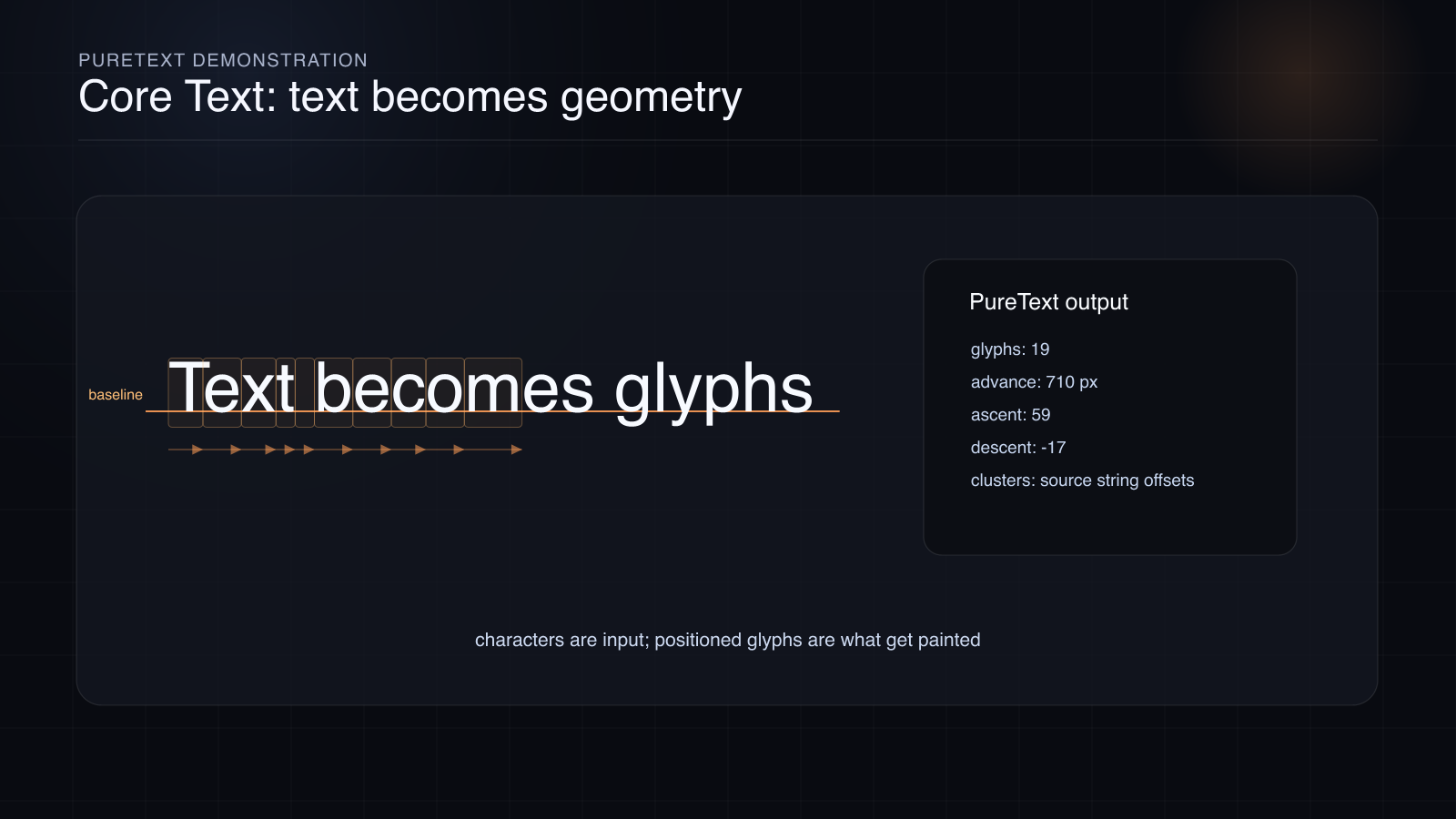
SlayerMotion render: real shaped glyphs with advances, baseline, ascent, descent, and source clusters. PureText shaped them.
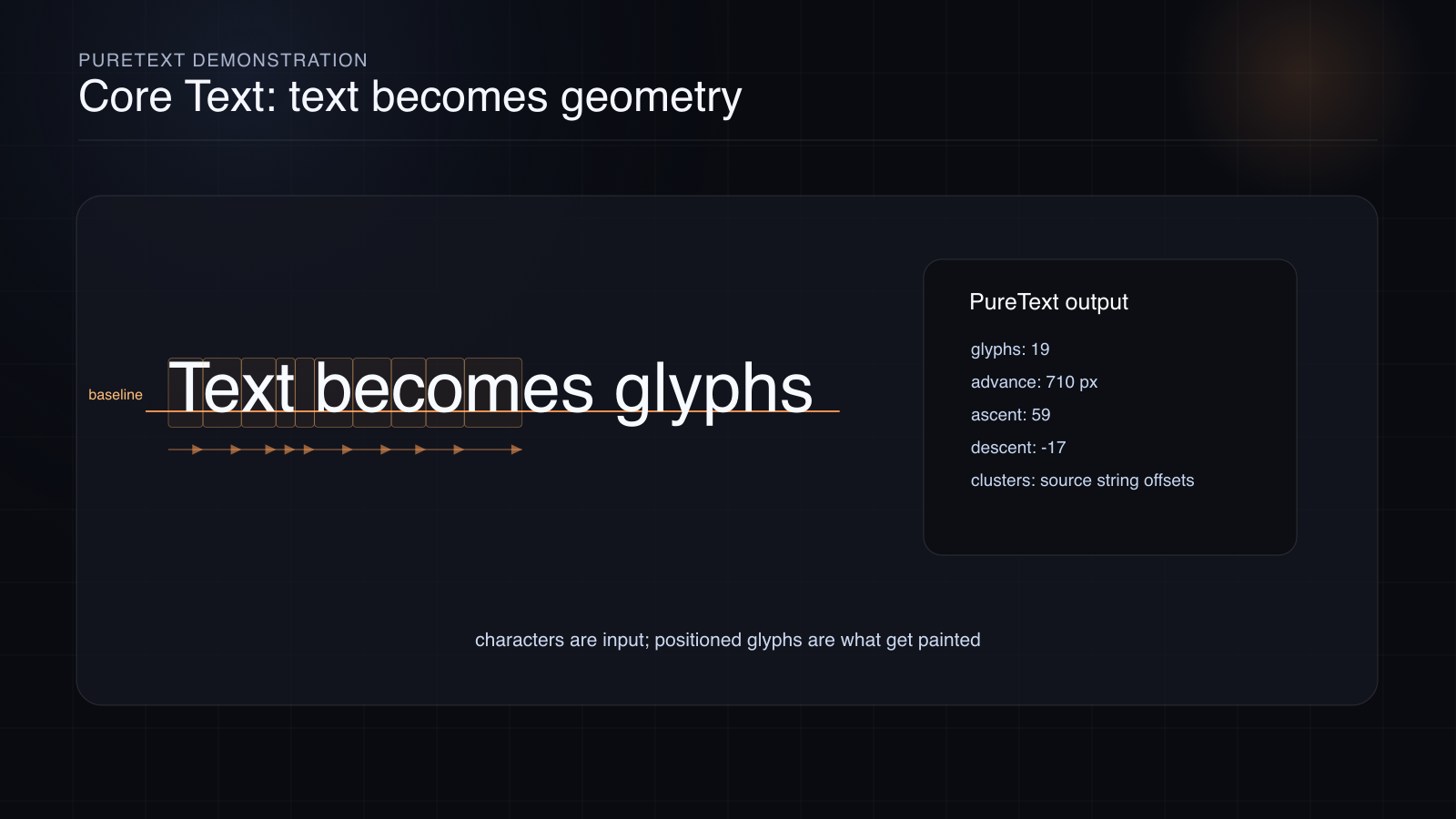
Apple render of the same shaped outlines. Measured difference: 52.0% of pixels differ, max channel delta 40 of 255, mean 0.09% of full scale.
The stubborn bug: a label measures differently than expected, wraps differently in another language, or changes height when fallback fonts enter.
The mechanism: before a label appears, the system finds grapheme clusters, scripts, direction, fallback fonts, OpenType features, ligatures, line breaks, baselines, and glyph positions. By the time pixels appear, “draw this string” has become “draw these glyphs at these positions with these advances, attachments, baselines, and runs.”
The proof path for the series: compare a shaped run against Core Text or a public Unicode and OpenType conformance source, then draw the resulting glyphs through the graphics tier. If a glyph is one advance off, the picture shows it.
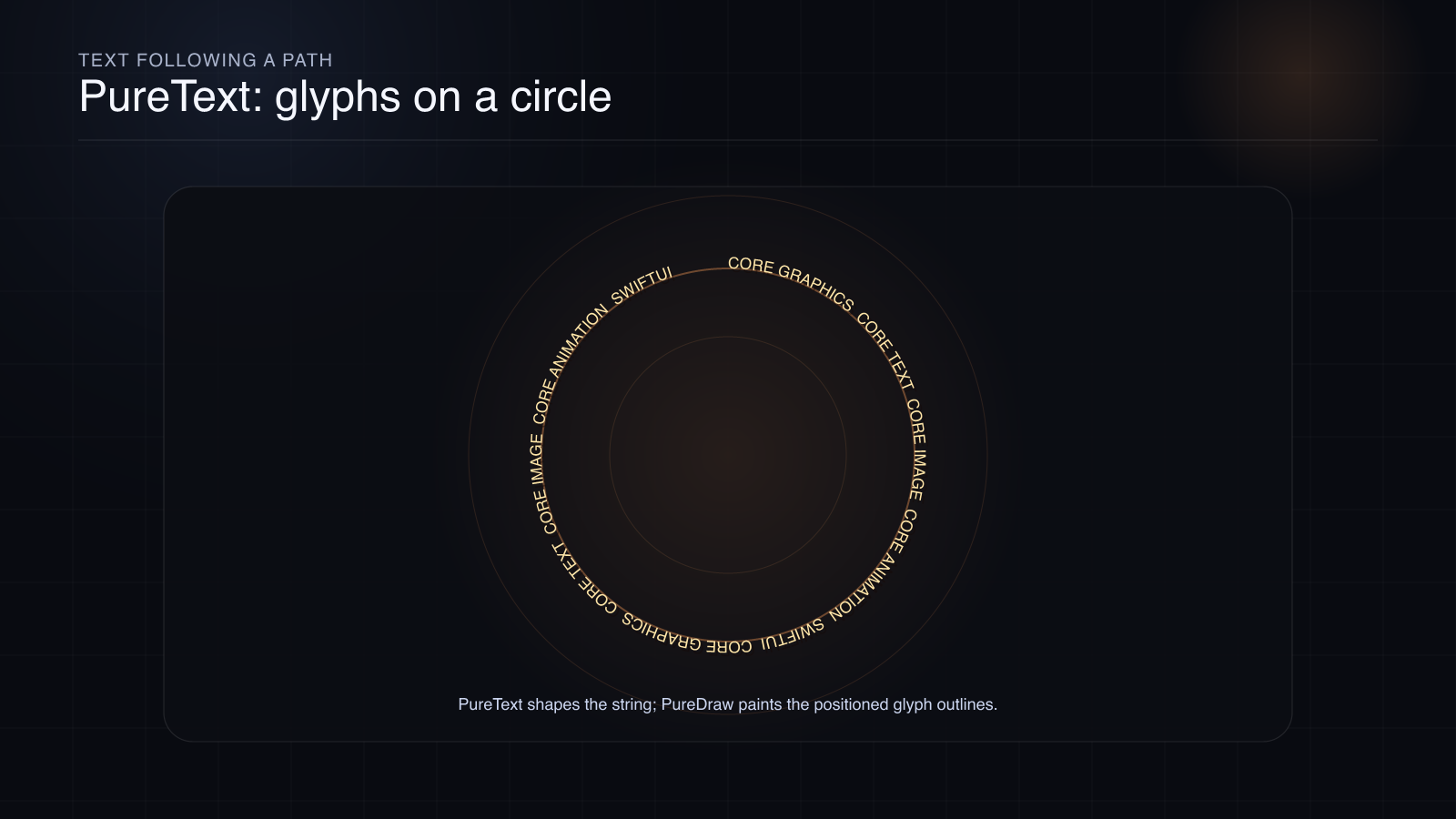
SlayerMotion render: PureText shapes the string, and the glyph outlines are painted around a circle.
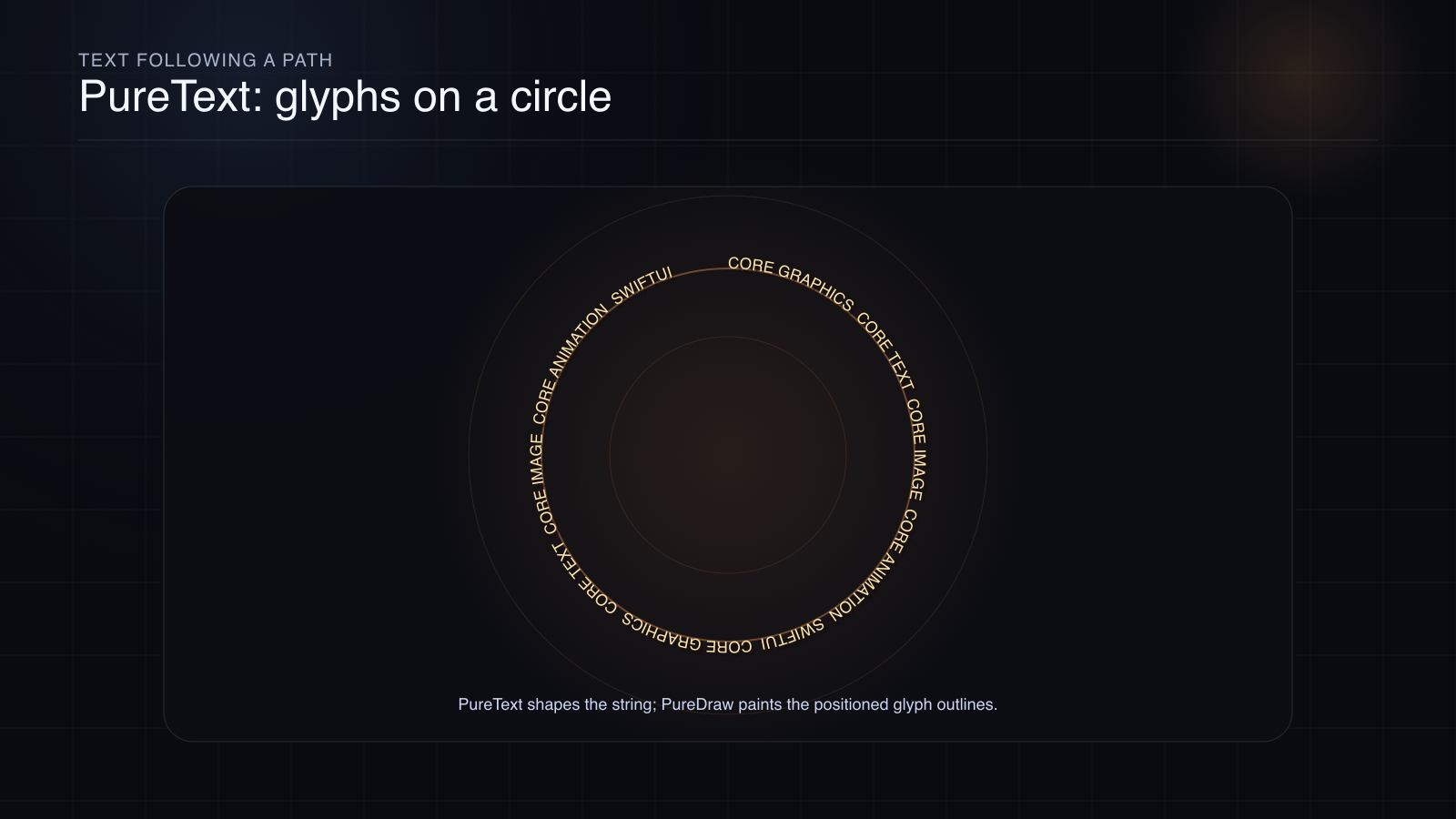
Apple render. This scene has the largest twin disagreement of the static set, 62.9% of pixels, because curved glyph edges are nearly all anti-aliasing. Mean difference: 0.10% of full scale.
This is why text is the hardest thing in the stack. A rectangle has four corners. Text has language, script, font technology, and human expectation tangled together.
Core Image: An Image Is A Recipe
Core Image looks like an image-processing framework, and it is. But the load-bearing idea is laziness. A CIImage is not simply a bitmap. It is closer to a recipe: take this source, apply this filter, crop here, composite over that, and render a finite region only when a context asks for pixels.
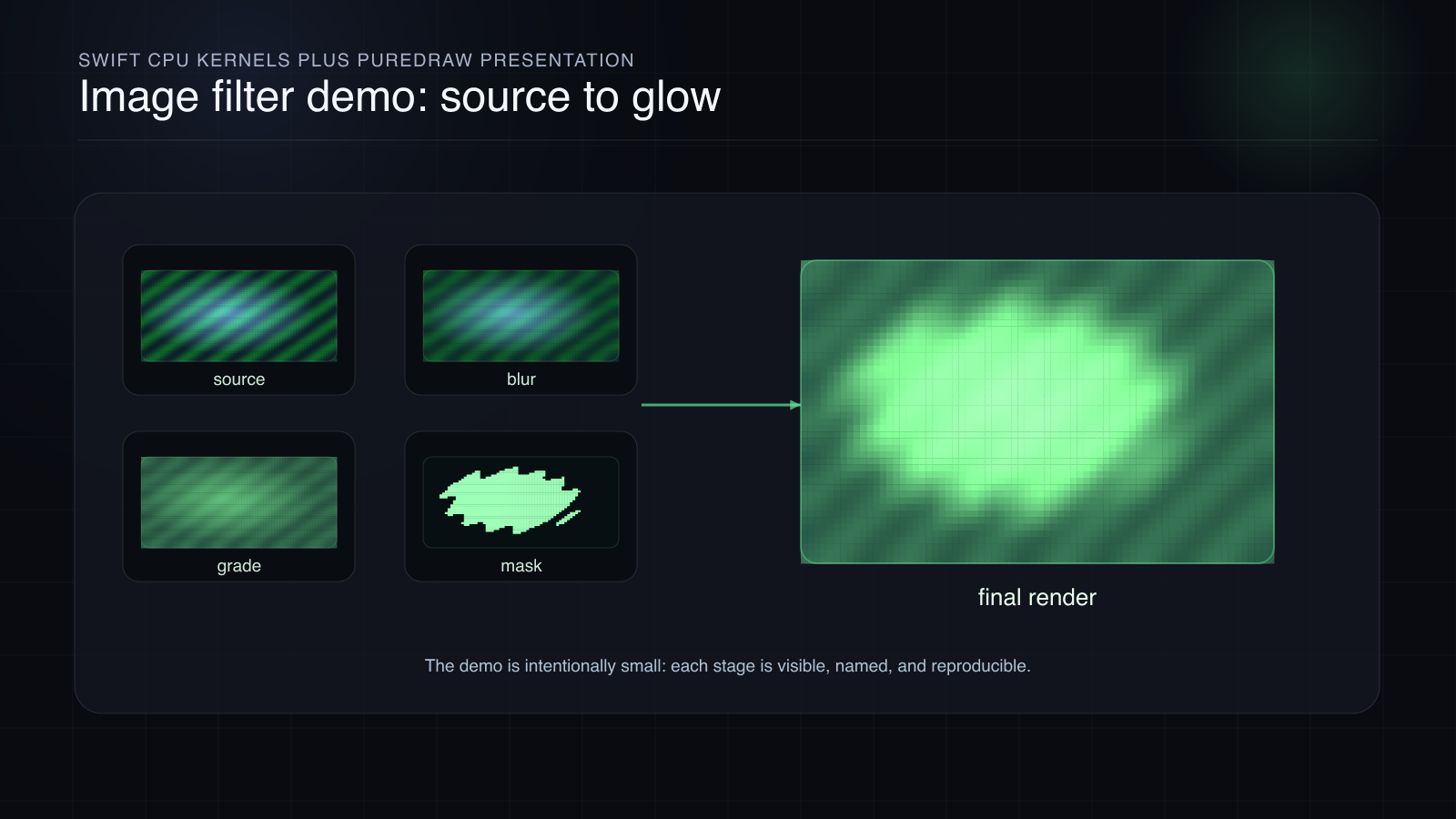
SlayerMotion render: a small reproducible filter chain, source, blur, grade, mask, and final render, computed by Swift CPU kernels.
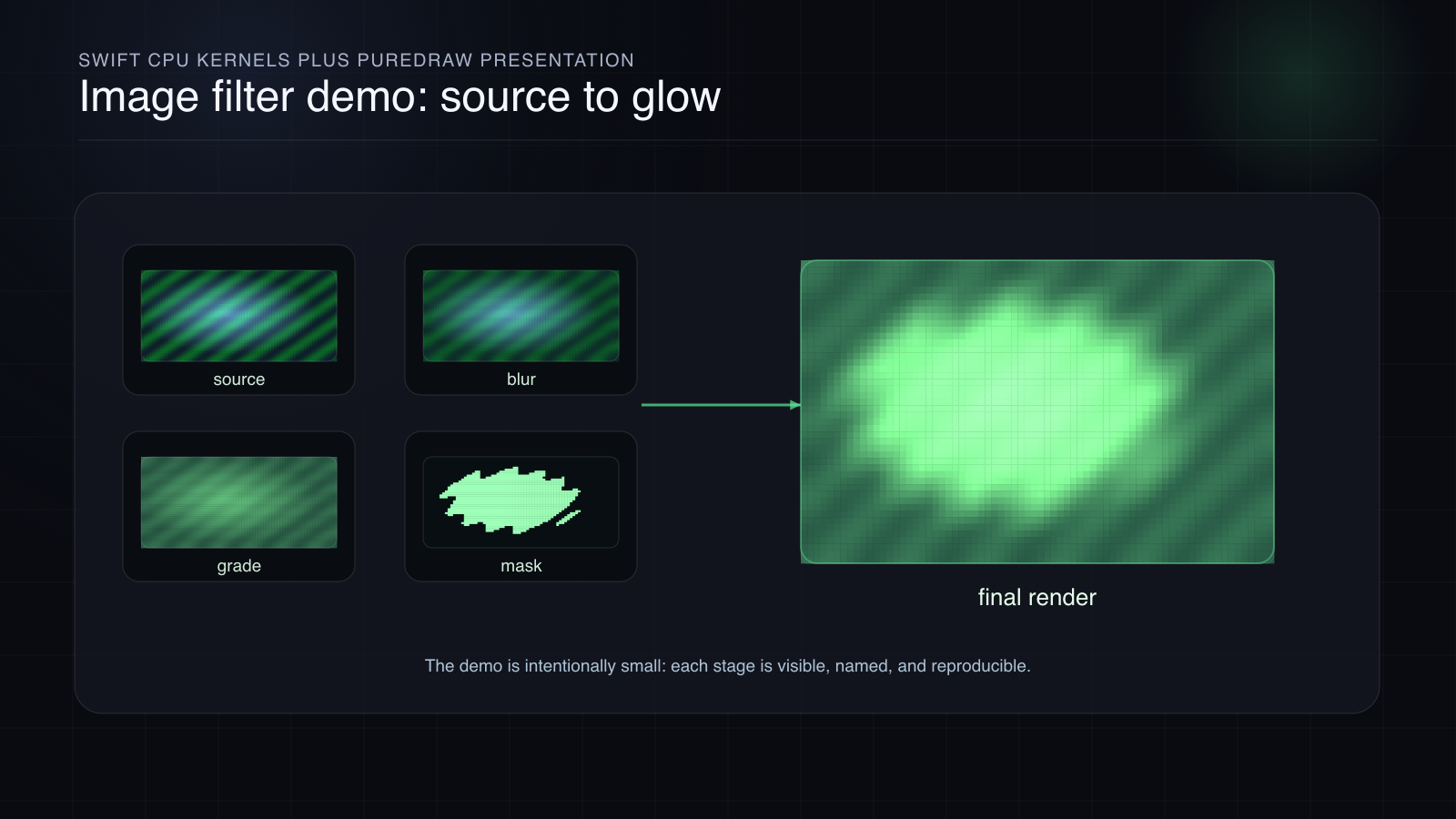
Apple render of the same chain’s presentation. Measured difference: 50.2% of pixels differ, max channel delta 42 of 255, mean 0.10% of full scale.
The stubborn bug: a filter chain behaves differently depending on renderer, extent, color model, or GPU path.
The mechanism: rendering walks the graph backward from the requested output region. A color matrix reads one input pixel per output pixel. A blur cannot, because neighbors influence the result. A warp inverse-maps output coordinates into input coordinates. A generator has no input image at all.
The proof path: define the filter as math, render through a software backend, render through the GPU path, then compare with a named tolerance. Sometimes a mismatch is a bug. Sometimes it is the expected cost of different floating-point formats, interpolation, premultiplication, or color space. The skill is knowing which one you are seeing.
Core Animation: The Compositor, Not Just Animation
Core Animation has the most misleading name in the stack. Animation is part of it, but the deeper idea is retention. You give the system a tree of layers, and the system keeps that tree and samples it over time.
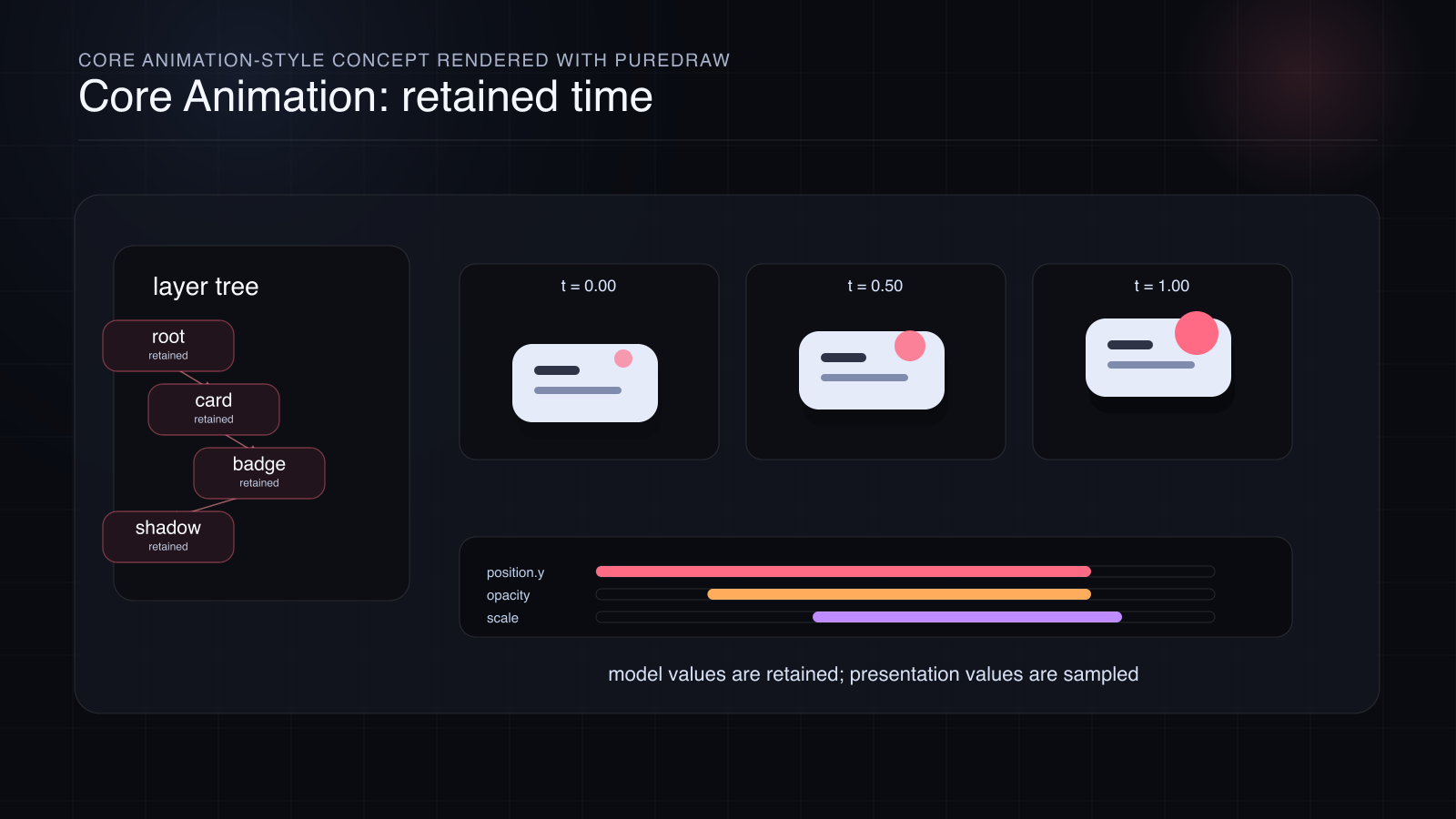
SlayerMotion render: model tree, presentation sampling, timing curves, and compositor output are related, but they are not the same object.
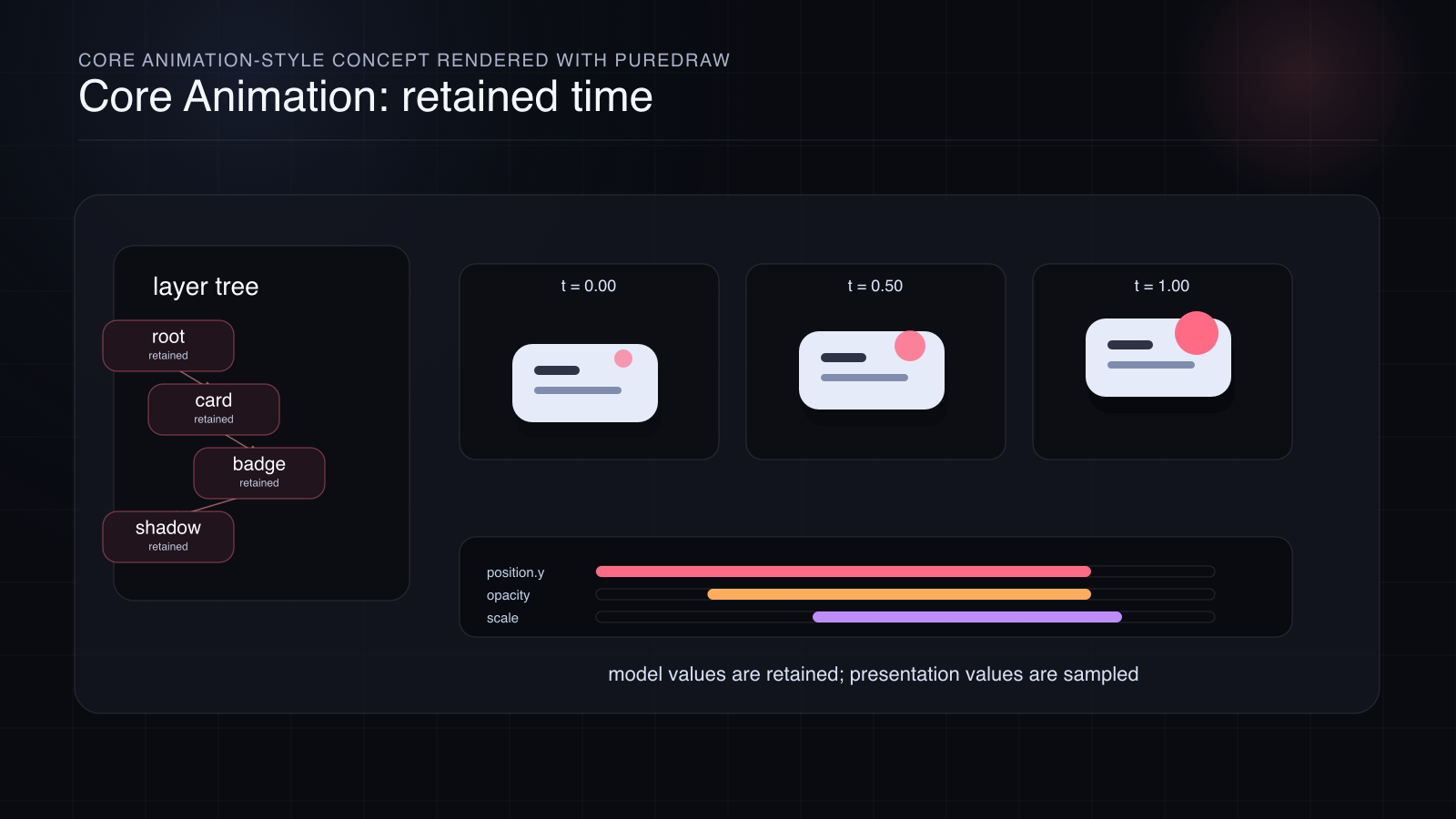
Apple render. Measured difference: 46.5% of pixels differ, max channel delta 35 of 255, mean 0.08% of full scale.
The stubborn bug: adding one layer, mask, opacity group, shadow, or transform changes the final output in a way that seems unrelated to the change.
The mechanism: CALayer is a retained node in a compositing tree. A child layer lives inside the coordinate system, timing system, clipping system, and compositing context of its ancestors. The animation you see is sampled presentation state, while the model tree holds the committed value.
The proof path: build a small layer tree, sample it at a specific time, flatten it into drawing operations, and compare the frame or the tree against a live Core Animation witness. The dragon above is drawn frame by frame through the graphics tier; driving it from a live retained timeline is precisely the job of the Core Animation issue.
The screen looks flat only at the end. Before that, it is a tree.
SwiftUI: The Graph Above The Layers
SwiftUI is the top of this map, and the one most often described with magic. It is better described as an engine.
The shortest useful model: a state write dirties part of a dependency graph; invalidation flows through recorded reads; an update pass recomputes only that cone; identity decides which nodes are reused and which are torn down; layout negotiates size and placement; transactions carry animation intent; and the result lowers toward layers and drawing.
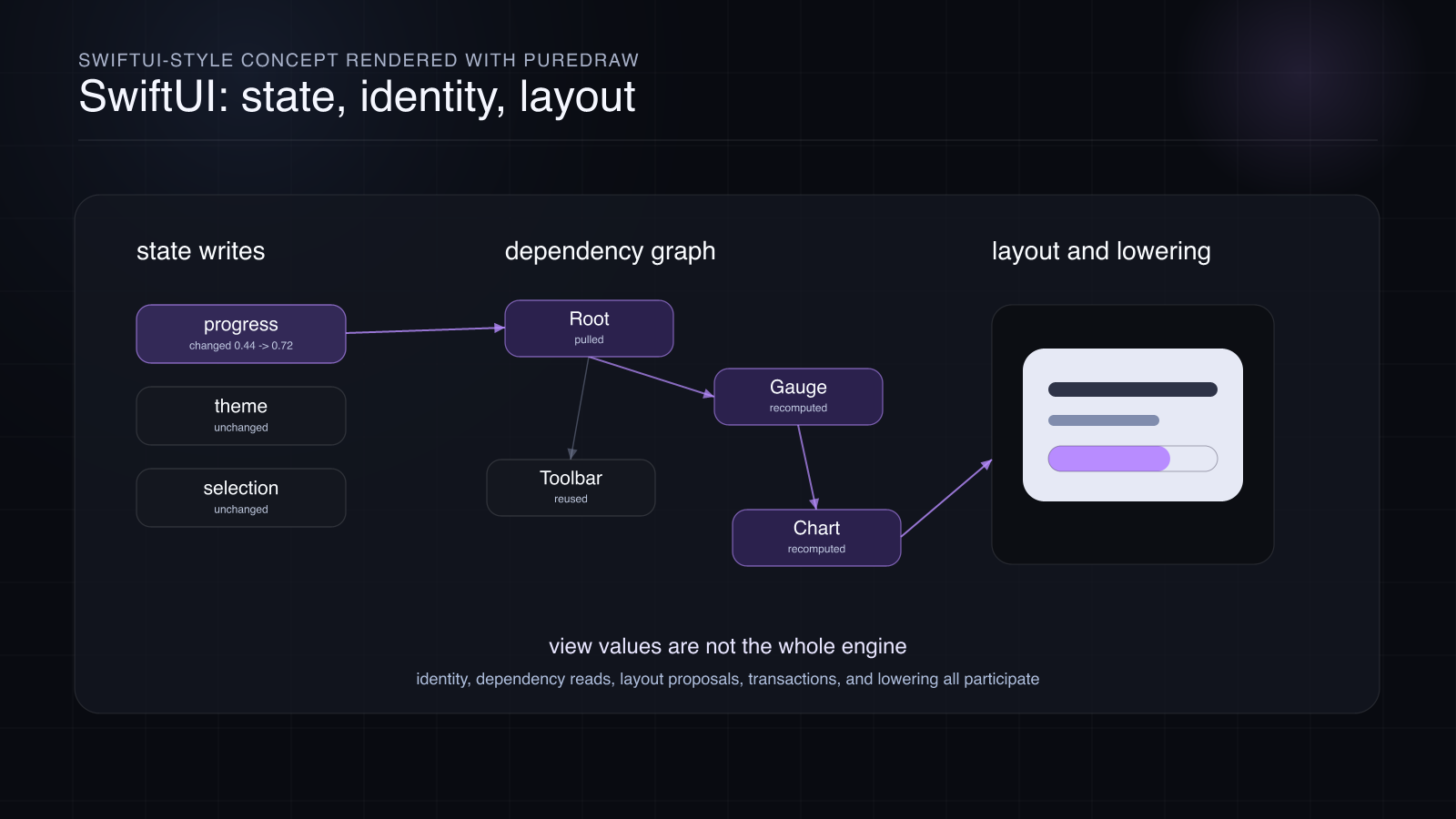
SlayerMotion render: a conceptual dependency graph and invalidation cone, not a dump of private SwiftUI internals.
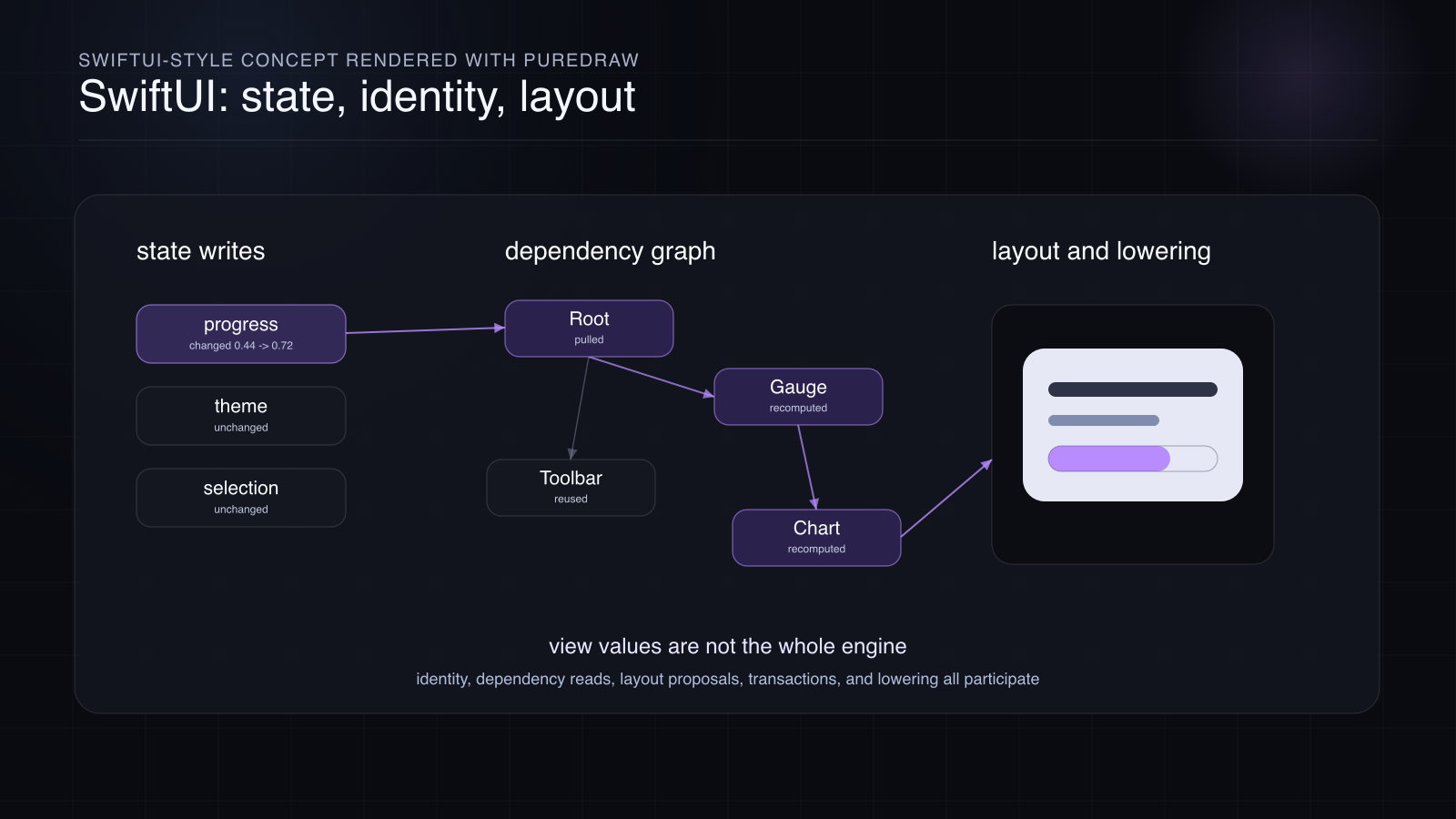
Apple render. Measured difference: 57.2% of pixels differ, max channel delta 39 of 255, mean 0.10% of full scale.
The stubborn bug: a view resets state, redraws unexpectedly, refuses to redraw, or animates on a curve that does not match the model in your head.
The mechanism: the view value is not the whole system. Identity, dependency reads, layout proposals, transactions, and lowering all participate.
By the time the series reaches SwiftUI, the lower tiers will have supplied the vocabulary: drawing state, glyph runs, lazy image graphs, retained compositing, sampled time. Then SwiftUI becomes legible. Not small. Not easy. Legible.
The Numbers, With Their Conditions
Every twin comparison in this issue, measured on the decoded RGBA pixels:
| Scene | Pixels differing | Max channel delta (of 255) | Mean difference |
|---|---|---|---|
| Stack hero | 49.8% | 35 | 0.09% |
| Path to pixel | 54.2% | 34 | 0.08% |
| Glyph runs | 52.0% | 40 | 0.09% |
| Text on a circle | 62.9% | 37 | 0.10% |
| Filter demo | 50.2% | 42 | 0.10% |
| Layer timeline | 46.5% | 35 | 0.08% |
| SwiftUI graph | 57.2% | 39 | 0.10% |
| Dragon still | 47.2% | 85 | 0.09% |
| Dragon animation, worst of 8 frames | 47.1% | 87 | 0.08% |
Conditions: macOS 26.5.2, Apple renders into an 8-bit premultiplied CGContext in device RGB at 1x, software rendering, both outputs encoded as PNG, compared on decoded bytes. All scenes are 1600 by 900; the animation twins are 8 frames at 12 frames per second.
Two rows deserve a note. The dragon rows have max deltas of 85 and 87 because hard-edged fire particles land on anti-aliased boundaries; in the still, only 37 pixels out of 1.44 million exceed a quarter of full scale. Those are exactly the places where two correct rasterizers are allowed to disagree, and exactly the kind of edge future issues will dissect.
Every number in this table is reproducible: the issue bundle ships a verify-bundles tool that recompiles every scene from its SLM source, re-renders both twins, requires byte identity with the published files, re-measures these statistics, and re-runs a mutation probe through both backends. The current report: 47 checks, 0 failures.
One boundary, named now so this issue does not overclaim: in this issue the Apple twin is Core Graphics for every scene. The text, filter, layer, and SwiftUI illustrations compare rasterizers on identical lowered geometry; they do not yet compare PureText against Core Text shaping, PureImage against a CIContext, or PureLayer against a live CALayer tree. Those framework-native comparisons are precisely what the coming issues build, one claim at a time, with the same measure-and-publish discipline you just saw. That discipline has already paid for itself once: an earlier draft of the animation twins went through a rendering path that the twin comparison caught diverging on rotated layers, at 3.7 to 3.9 percent mean where every healthy scene measures about 0.1. The divergence was traced to a coordinate-flip bug in the engine’s device-space compositing, the fix landed, and the same scene re-measured through the same comparison now agrees to 0.07 percent. The original divergent renders stay in the bundle’s proof folder, because a caught bug is evidence too.
What This Is Not
This is not a weekly news digest. Not five SwiftUI tricks. Not an argument that you should stop using Apple’s frameworks.
It is also not private-internals theater. The point is not to be clever about hidden implementation details. The point is to understand public behavior deeply enough that the surface APIs stop feeling arbitrary.
When the source of truth is a public spec, I will name it. When it is live framework behavior, I will show the instrument. When the best available source is a measured witness, I will call it that. Some behavior varies by OS release, device, renderer, scale, color space, or timing. That does not make it unknowable. It means the conditions matter.
The goal is not certainty as a mood. The goal is evidence.
Where We Start
We start at the bottom.
Issue 2 opens Core Graphics with the current transformation matrix: the quiet piece of state that decides where every point lands. It is the right beginning because it teaches the first law of the whole stack: order matters. That law comes back everywhere. In drawing. In text shaping. In image filters. In layer compositing. In SwiftUI updates.
After that, we climb:
Core Graphics: state, paths, transforms, clipping, blend modes, transparency.
Core Text: glyphs, runs, bidi, line breaking, shaping, fallback.
Core Image: lazy recipes, kernels, regions of interest, CPU and GPU parity.
Core Animation: layer trees, model and presentation, timing, compositing.
SwiftUI: identity, dependency graphs, layout, transactions, lowering.
Subscribe if you want one tested UI-stack claim per issue, drawn twice, measured, and honest about its boundaries.
If you stay with the series, you will not just know which API to call. You will know what kind of machine you are talking to when you call it.
See you in Issue 2.
The books behind this newsletter. Core Graphics, Core Text, Core Image, Core Animation and SwiftUI, every chapter drawn twice and measured against an answer key. See the books.